Introduction
AWS re:Post is the official community platform from AWS where developers, cloud engineers, architects, and IT professionals can ask questions, share knowledge, and find solutions related to AWS services. It helps users connect with AWS experts and community members to solve problems, learn best practices, and improve their cloud skills.
What Type of Content Can You Post?
- AWS-related questions
- Technical discussions
- Troubleshooting solutions
- Cloud architecture tips
- AWS best practices
- Learning guides and resources
- Community discussions
- Knowledge-sharing posts
Step-by-Step Guide to Post on AWS re:Post
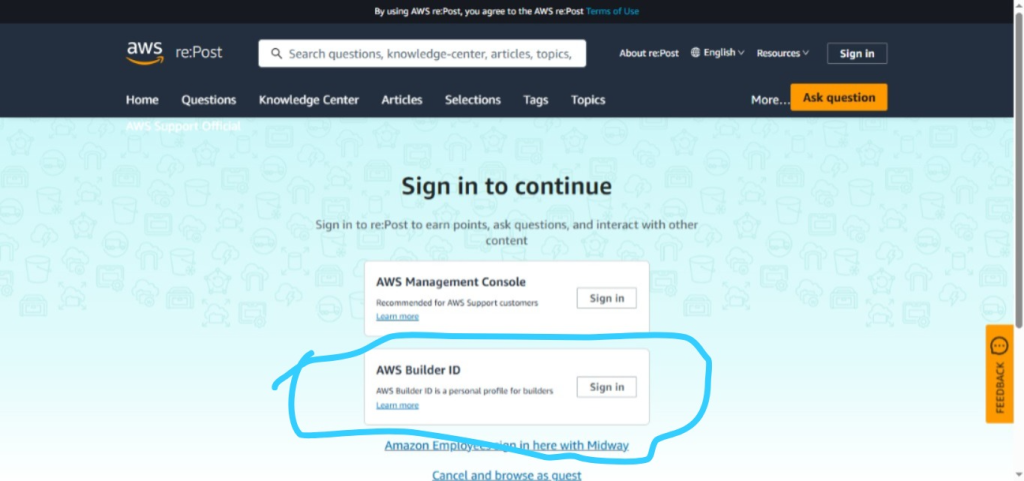
Step 1: Open AWS re:Post
Visit the AWS re:Post website and sign in using your AWS account.
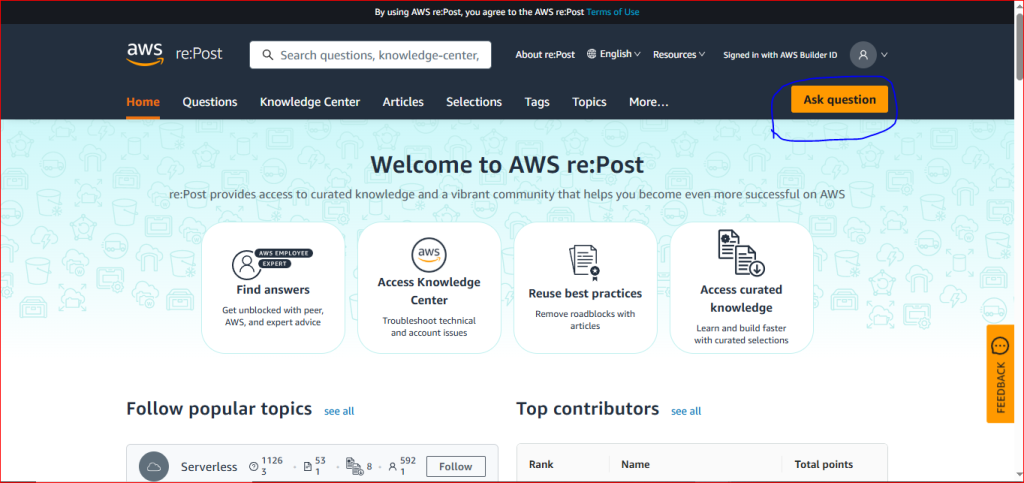
Step 2: Click on “Ask a Question”
From the homepage, click the Ask a Question button.
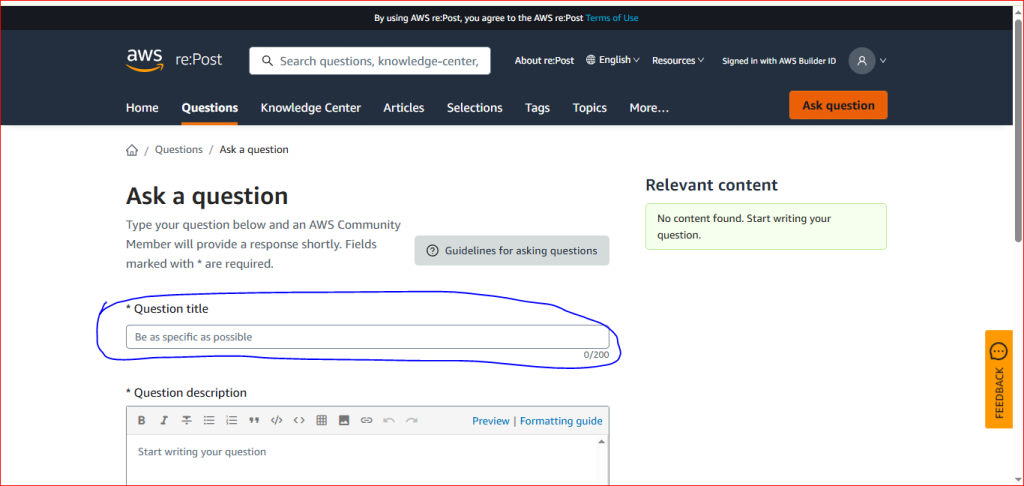
Step 3: Enter Your Question Title
Write a clear title that explains your question or topic. This helps others understand your post quickly.
Step 4: Add Question Description
In the Question Description box, explain your problem in simple words. You can mention the error message, AWS service you are using, and the steps you have already tried. You can also add code, links, bullet points, or screenshots if needed.
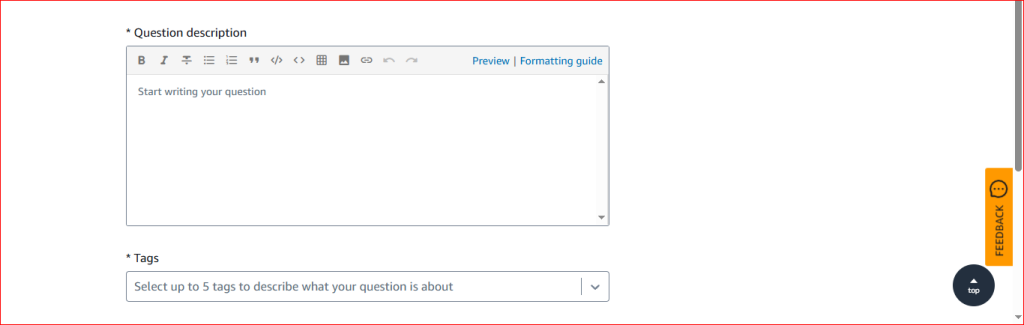
Step 5: Add Tags
In the Tags section, add relevant tags related to your question, such as EC2, S3, Lambda, RDS, or CloudFormation. Tags help others find your question more easily.
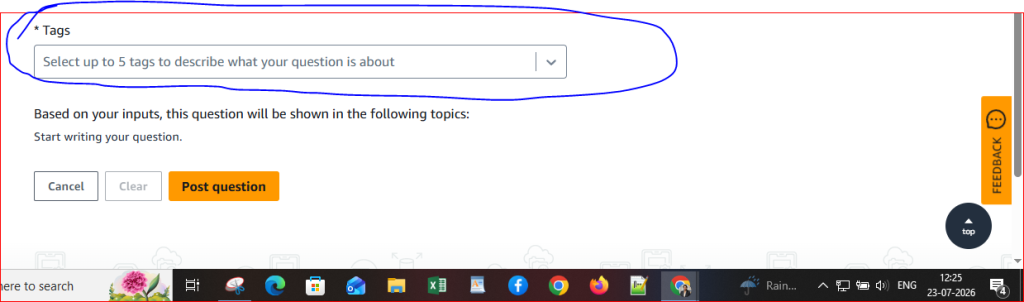
Step 6: Post Your Question
Check your question once, then click Post Question. Your question will be published and visible to the AWS re:Post community. You can come back later to view answers and reply to comments.
