Introduction
Academia.edu is a useful platform for researchers, students, professors, and academic writers. It allows you to share research papers, educational content, academic insights, and knowledge with people around the world. If you are new to Academia.edu and want to learn how to publish a post, this guide will help you. Follow the simple steps below to get started.
What Type of Content Can You Post?
You can share:
- Research updates
- Educational articles
- Academic discussions
- Study notes and insights
- Research summaries
- Subject-related knowledge
- Learning resources
Step-by-Step Guide to Post on Academia.edu
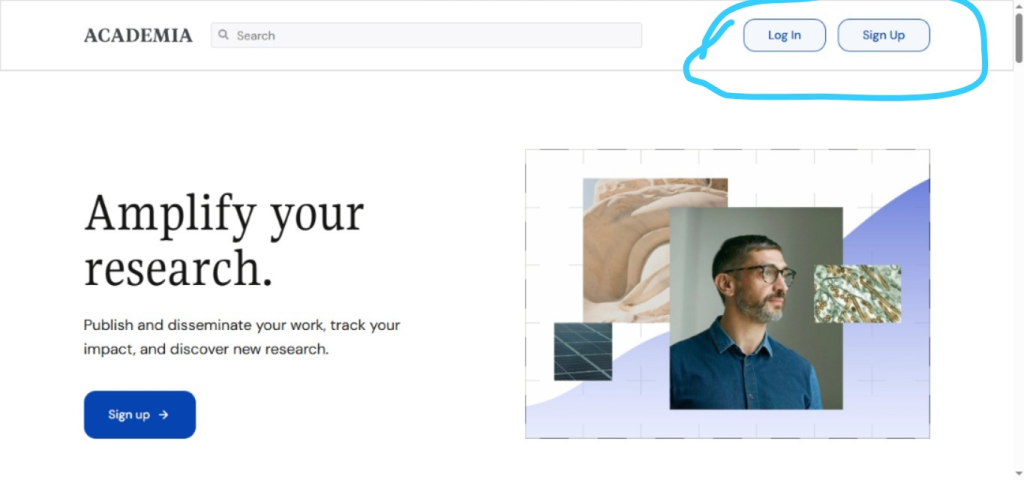
Step 1: Open Academia.edu
Open the Academia.edu website and log in to your account. If you do not have an account, you can create one for free using your email address.
Step 2: Click on Create Post
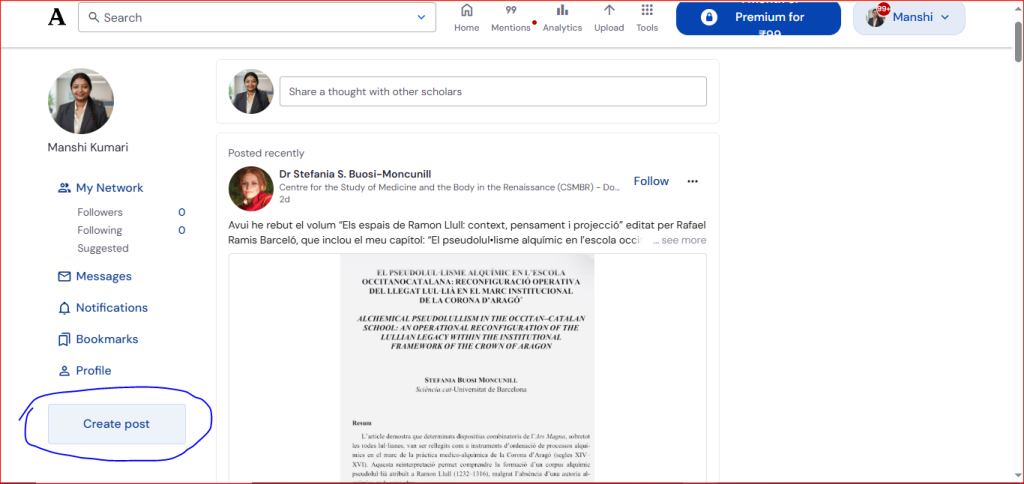
After logging in, go to your dashboard and click Create Post. This option allows you to create a new post.
Step 3: Add Your Title and Content
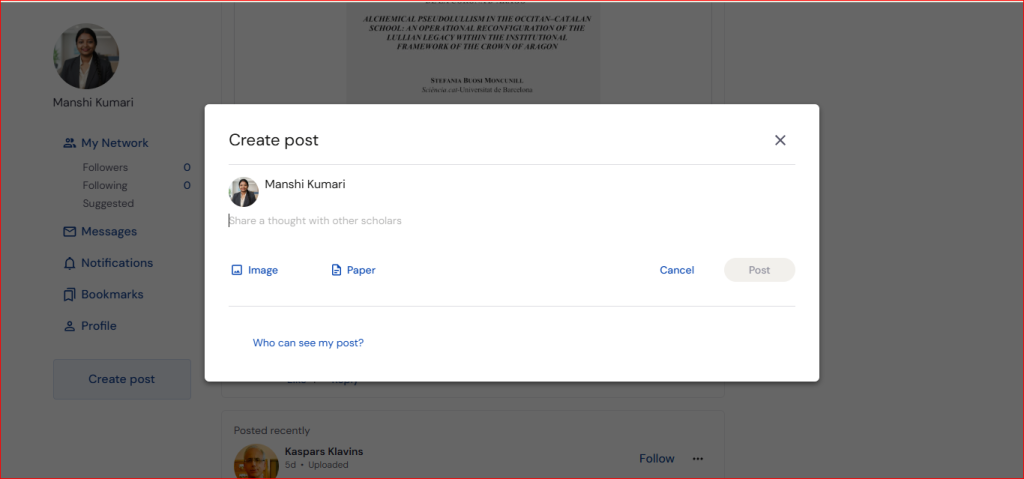
Enter a clear title for your post and write your content in the editor. Use simple language, short paragraphs, and helpful information to make your post easy to read.
Step 4: Add an Image (Optional)
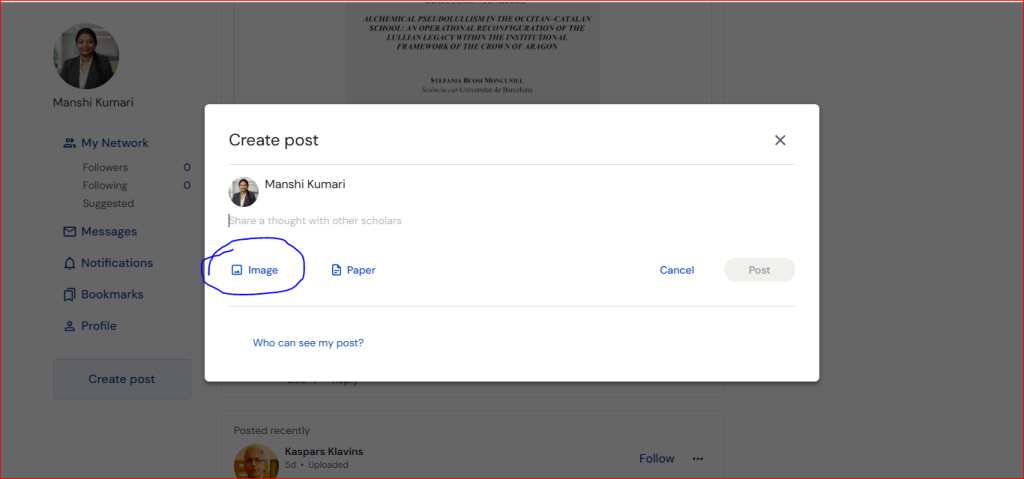
If you want, you can upload a relevant image by clicking the Image option.
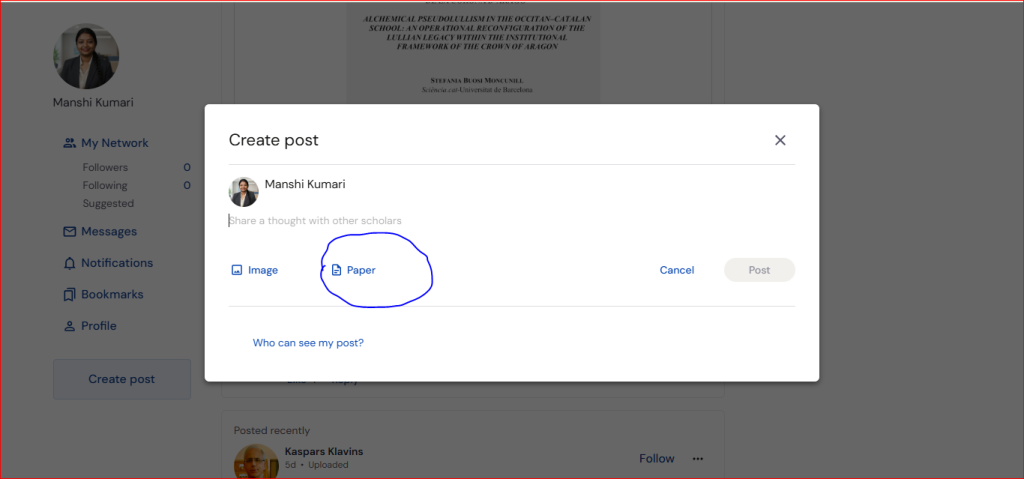
Step 5: Upload a Paper (Optional)
If you want to share a research paper, study material, or academic document, click the Paper option and upload your file.
Step 6: Click on “Post”
Once your post is complete, click the Post button at the bottom of the page to publish it.
