Introduction
AWS re:Post is a free online community created by Amazon Web Services (AWS). It helps developers, cloud engineers, IT professionals, and AWS users ask questions, find answers, and share their knowledge. Users can also read helpful articles, learn AWS best practices, and connect with other members of the AWS community. It is a great platform for learning, solving technical problems, and improving AWS skills.
What is the Purpose of AWS re:Post?
- To ask AWS-related questions
- To share your AWS knowledge and experience
- To publish helpful technical articles
- To find solutions to AWS issues
- To learn from AWS experts and community members
- To explore AWS best practices and tutorials
- To connect with other AWS users around the world
- To improve your cloud computing skills
Step-by-Step Process to Create a Post on AWS re:Post
Step 1 – Sign In to AWS re:Post
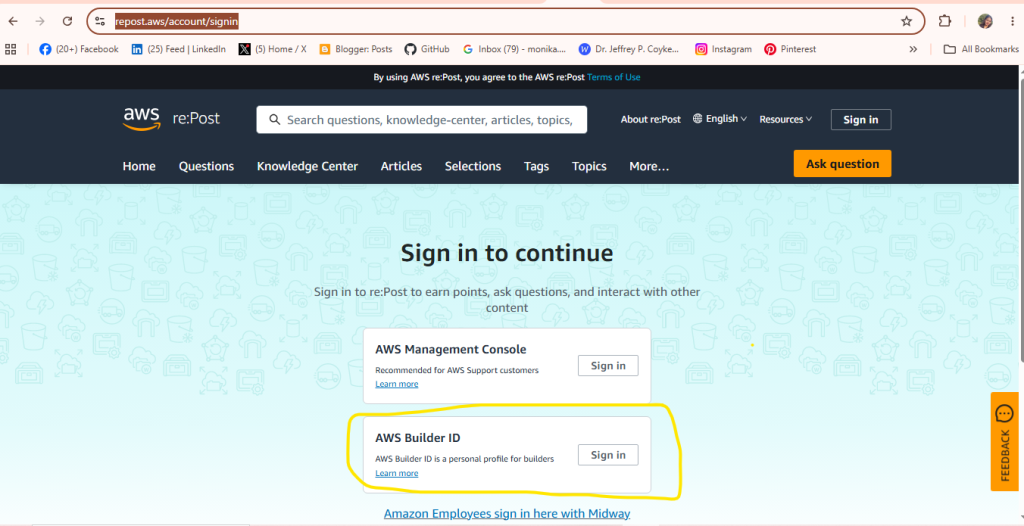
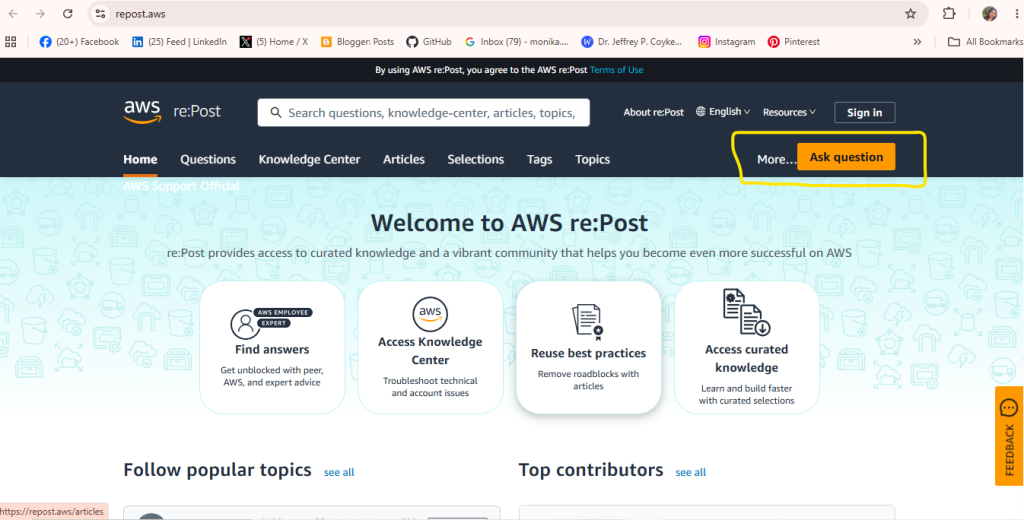
Step 2: Open the Posting Section
- Once logged in, locate and click on the orange “Ask question” button or look for options like “Articles” in the top navigation bar to share your content.
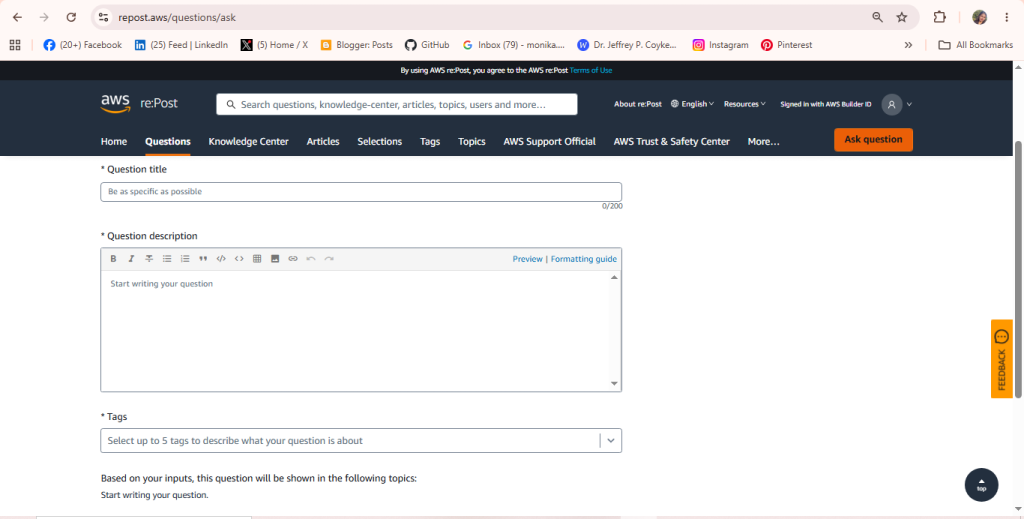
Step 3: Add Your Content
- Enter your title, question, or paste your blog text into the editor box provided.
- Add relevant tags or details if required.
Step 4: Publish the Post
- Review your entered information, then click the final submit or publish button to make your post live.
