Introduction
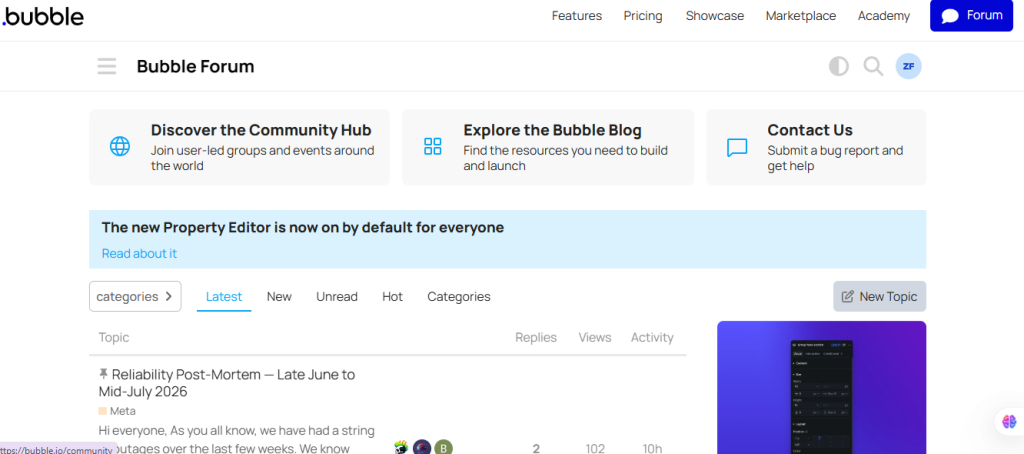
The Bubble Forum is the official community forum for Bubble.io. Here, no-code developers, entrepreneurs, and app creators can ask questions, share information, troubleshoot issues, and collaborate with other community members. Whether you are building your first Bubble app or working on an advanced workflow, this forum is one of the best places to find help.
This guide explains how to ask a question on Bubble Forum.
Step-by-step guide asking question on Bubble Forum
Step 1: Sign In to Bubble Forum
- Open your web browser.
- Visit Bubble Forum
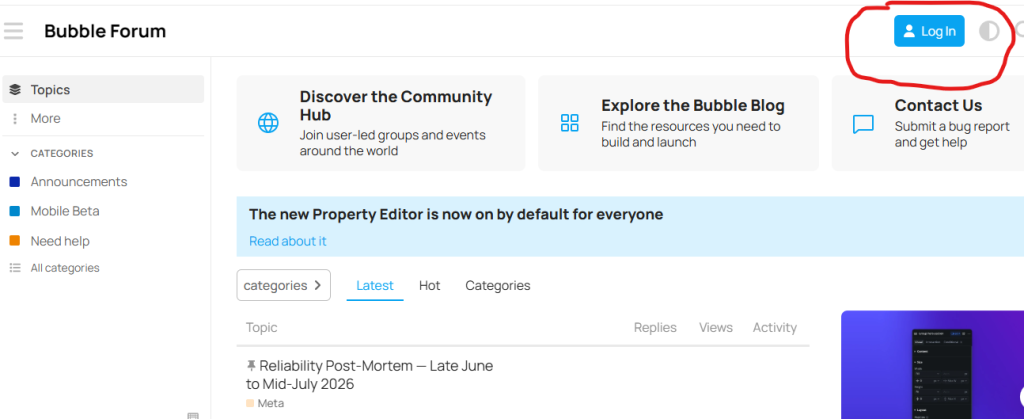
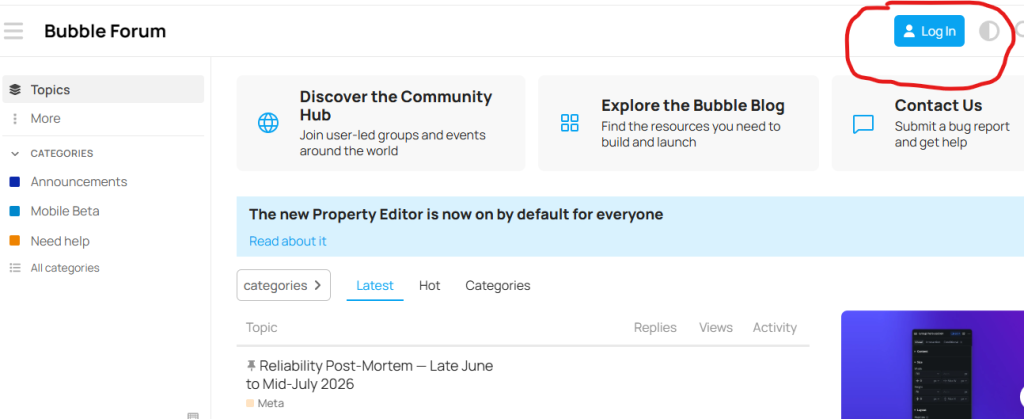
- Click Log In.
- Sign in with your Bubble account.
If you don’t have an account, create one for free.
Step 2: Search Before Posting
Before creating a new question:
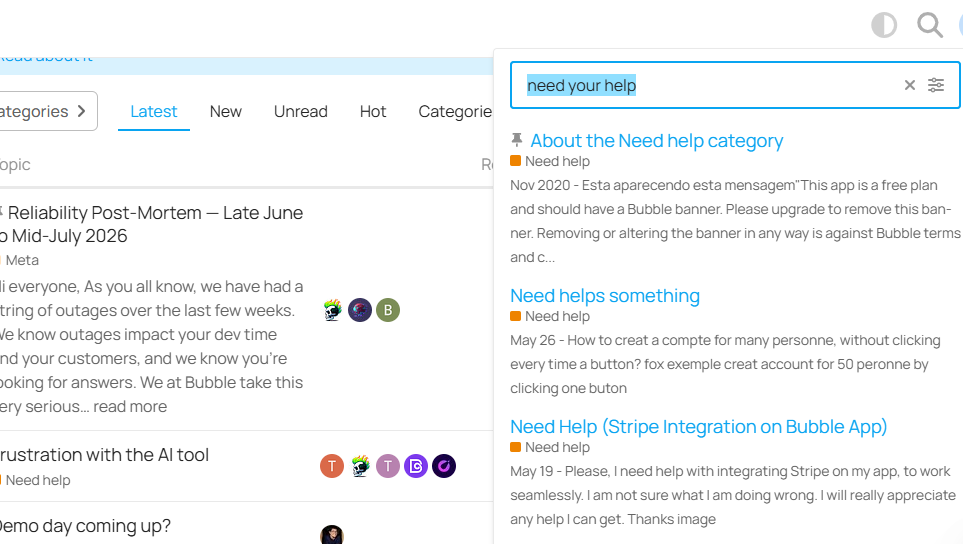
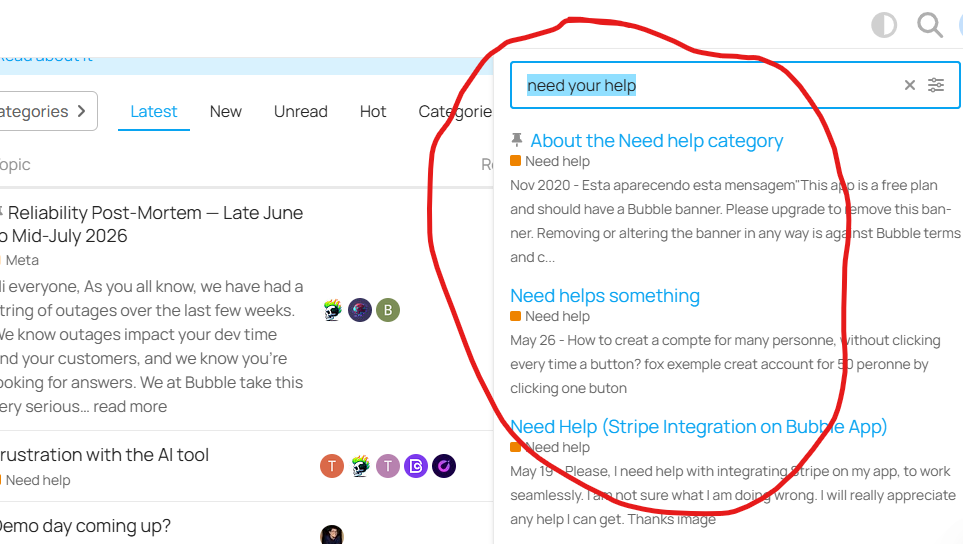
- Use the Search bar at the top of the forum.
- Enter keywords related to your issue.
- Check whether your question has already been answered.
Searching first helps avoid duplicate topics and often provides an immediate solution.
Step 3: Choose the Correct Category
Select the category that best matches your question.
Common categories include:
- Need Help
- Bug Reports
- Ideas
- Plugins
- API
- Show & Tell
- Tips
- Jobs
Choosing the right category increases the chances of receiving helpful responses.
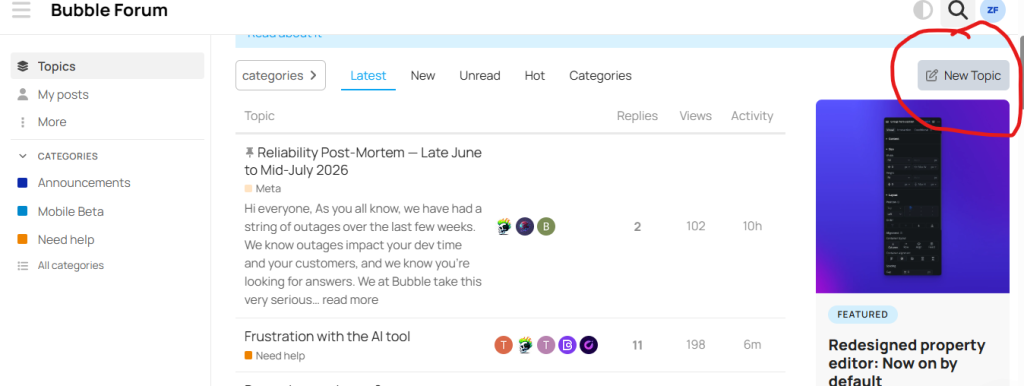
Step 4: Click “New Topic”
Inside the selected category:
- Click the New Topic button.
The topic editor will open.
Step 5: Click on “New Topic.”
After selecting the topic click on “New Topic.”
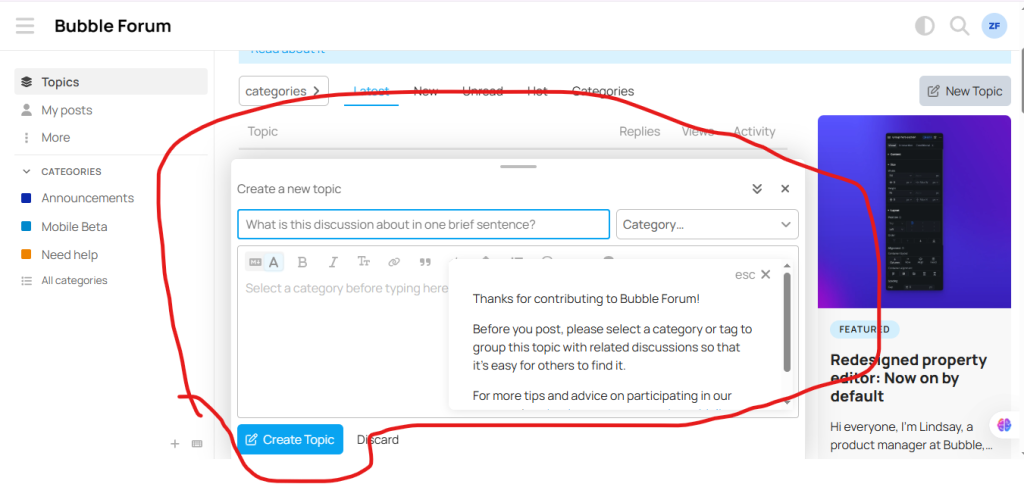
Step 5: Enter a Clear Title
Write a descriptive title that explains your issue.
Examples:
- How do I connect Bubble with Stripe?
- Why is my workflow not triggering?
- How can I create a repeating group filter?
Avoid vague titles like:
- Help!!!
- Urgent
- Please Help
A clear title helps other members understand your question quickly.
Step 6: Publish Your Question
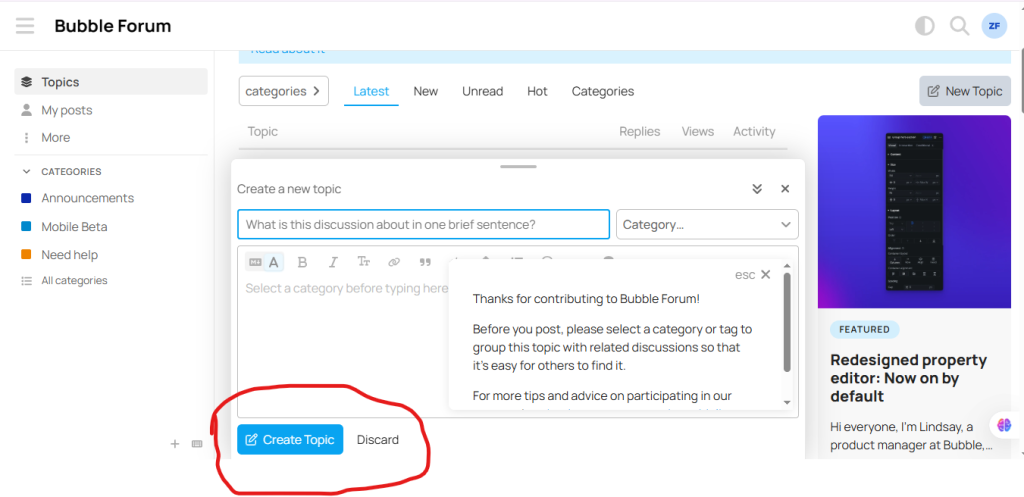
Click Create Topic or Post.
Your question will become visible to the Bubble community, and members can reply with suggestions or solutions.