Effective Posting Strategies for Analytics Vidhya

Introduction

Analytics Vidhya is an online platform and community designed to help people learn about Data Science and Artificial Intelligence (AI). Whether you want to learn AI, Machine Learning, or Data Science, this platform provides helpful articles, tutorials, and courses to get you started.

What is the Purpose of Analytics Vidhya?

  • To make data science and AI easy to learn for everyone.
  • To provide helpful resources, tutorials, and articles.
  • To build a strong community for learners and professionals.
  • To support career growth in data-related fields.

Step-by-Step Process to Create a Post

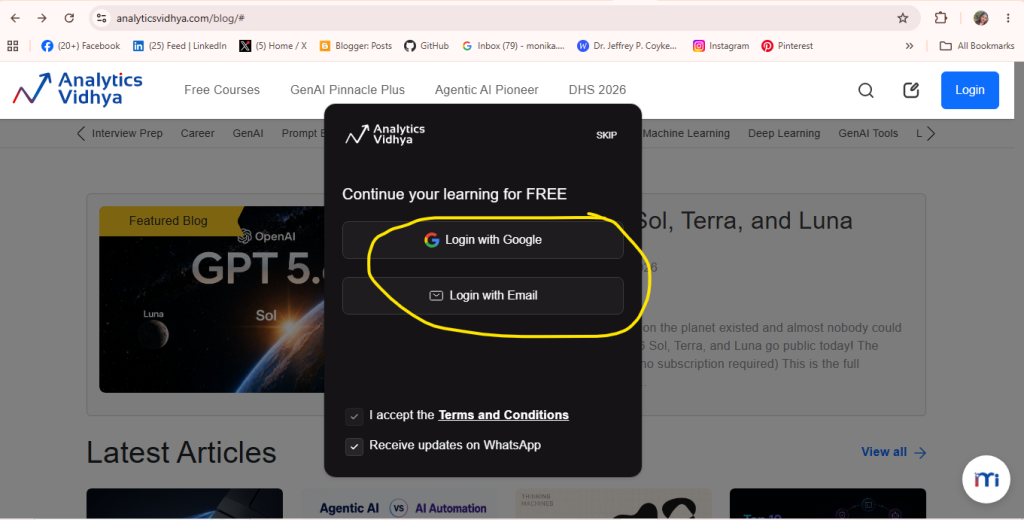
Step 1: Open the Analytics Vidhya Website

  • Login with Google: Allows you to quickly sign in using your existing Google account with a single click.
  • Login with Email: Lets you log in by entering your email address and credentials directly.
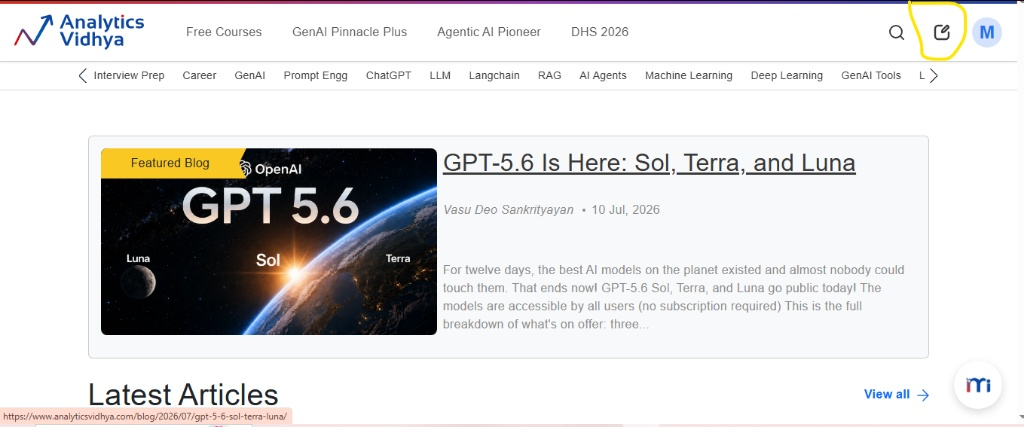
Step 2: Open the Write Section

Click the create icon in the top-right corner to start writing.
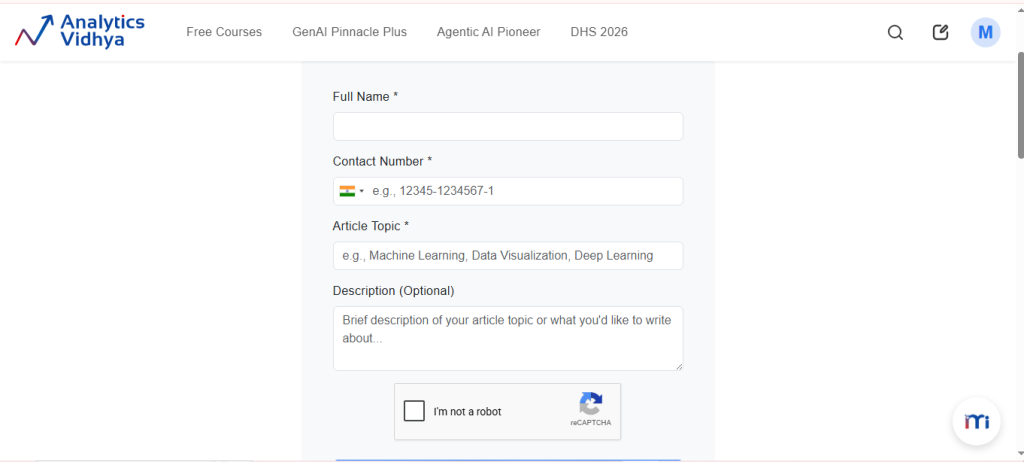
Step 3: Complete the Author Application Form

Enter your basic details like your full name, phone number, and article topic, and optionally include a brief description. Ensure your topic focuses clearly on fields like AI, Machine Learning, Data Science, Generative AI, Python, NLP, Computer Vision, or related technologies.
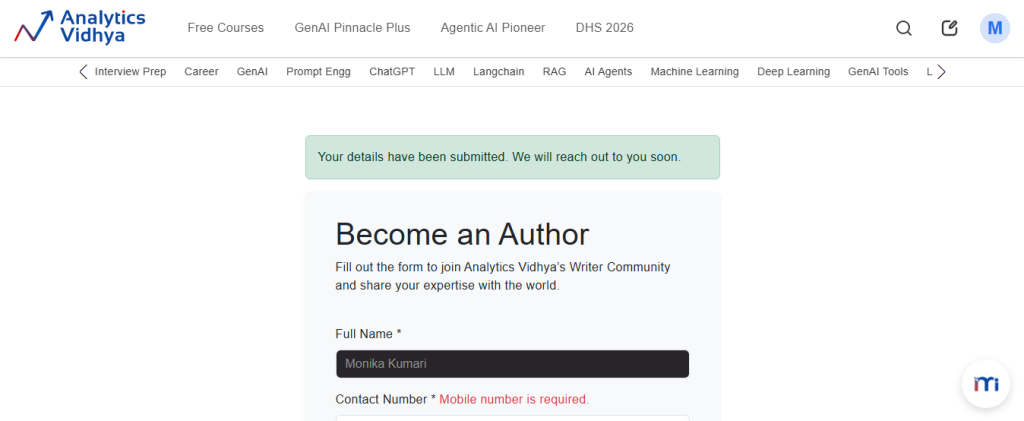
Step 4: Submit Your Author Application

After checking your details, click Submit Application. Your application will be sent to the Analytics Vidhya team. Then, wait for their reply and the next steps.


Related Posts

How to Create an Account and Publish an Article on Substack

Introduction Substack is a publishing platform where writers, professionals, and creators can publish articles and newsletters for their readers. Users can create a profile, set up a…

Read More

How to Create and Publish an Article on DEV Community

Introduction DEV Community is an online community where developers can share knowledge, experiences, tutorials, and useful ideas with other developers. After creating an account, members can write…

Read More

How to Create and Share a Stack on StackShare

Introduction StackShare is a platform where developers and teams can share the tools and technologies they use for their projects. Instead of publishing a traditional blog post,…

Read More

How to Create and Publish a Presentation on Speaker Deck

Introduction Speaker Deck is a platform for sharing presentations online. Instead of writing a normal blog post, you upload a presentation as a PDF file. Users can…

Read More

How to Create and Post a Question on Stack Overflow

Introduction Stack Overflow is an online community where developers and programmers can ask questions, share solutions, and help others with programming-related problems. Users can ask questions about…

Read More

How to Create and Publish an Article on SooperArticles

Introduction SooperArticles is a platform where authors can write and submit original articles on different topics. Users can create an author account, sign in, write an article…

Read More

Leave a Reply

Your email address will not be published. Required fields are marked *