Introduction
Academia.edu is an online academic platform where researchers, students, and professionals can share their research papers, academic articles, and educational documents, They can also read other people’s research papers and academic articles.
What is the purpose of this website?
- To publish academic article
- to share your research
- for educational purpose
- you can connect with many people through this website
What types of content can you post on Academia.edu ?
You can post Academic & Research Content and File Formats like
- Research Papers
- Educational Materials
- Research Documents
- PDF Documents
- Images
- Research-related documents
note : in this website we can not post like general blogs, social media posts, articles
Step by step guide to create account
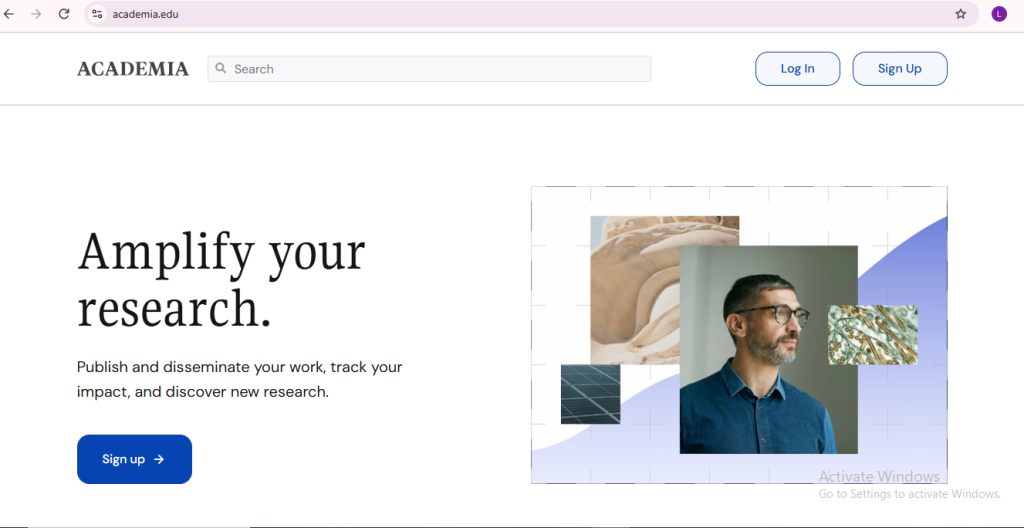
Step – 1 : Open the website
- Go to the google and seach Academia.edu website .
- open the website
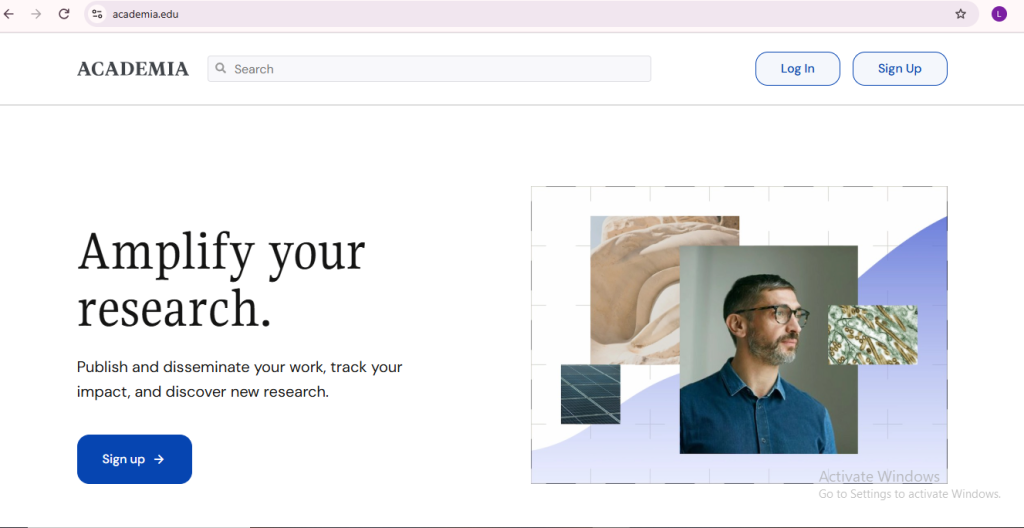
Step – 2 : Click on the sign up option
- to sign up you have to go through this process you have to continue with an email or google login or facebook login.
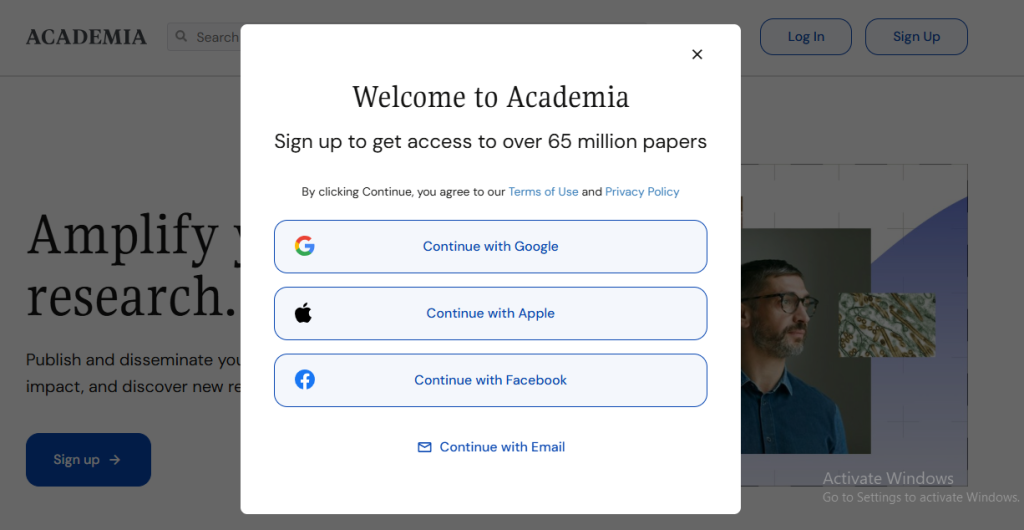
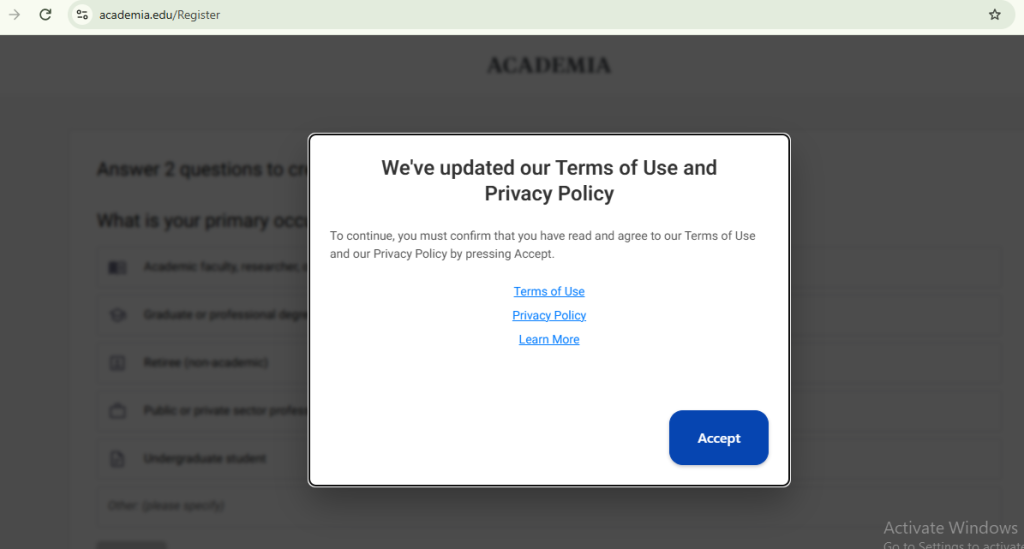
Step – 3 : Accept term and policy
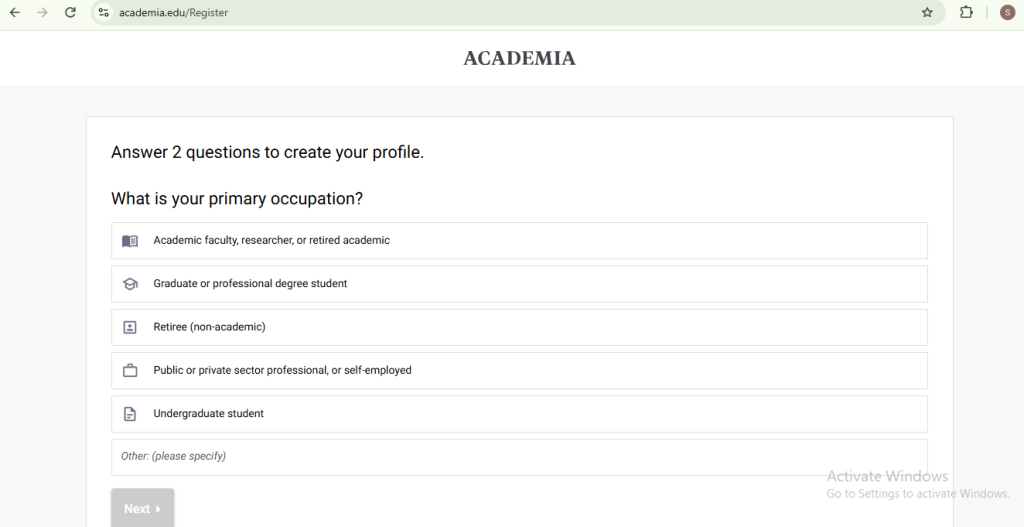
Step – 3 : Answer 2 questions to create your profile.
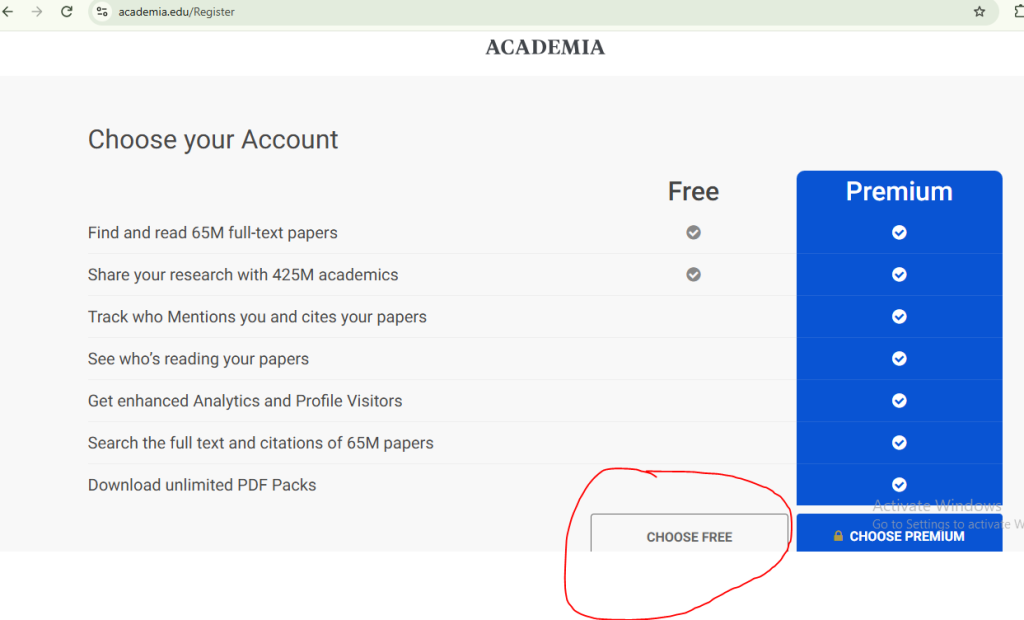
Step – 4: To create free account you have to choose free
Step – 5: account create
after choose free account your account will successfully created
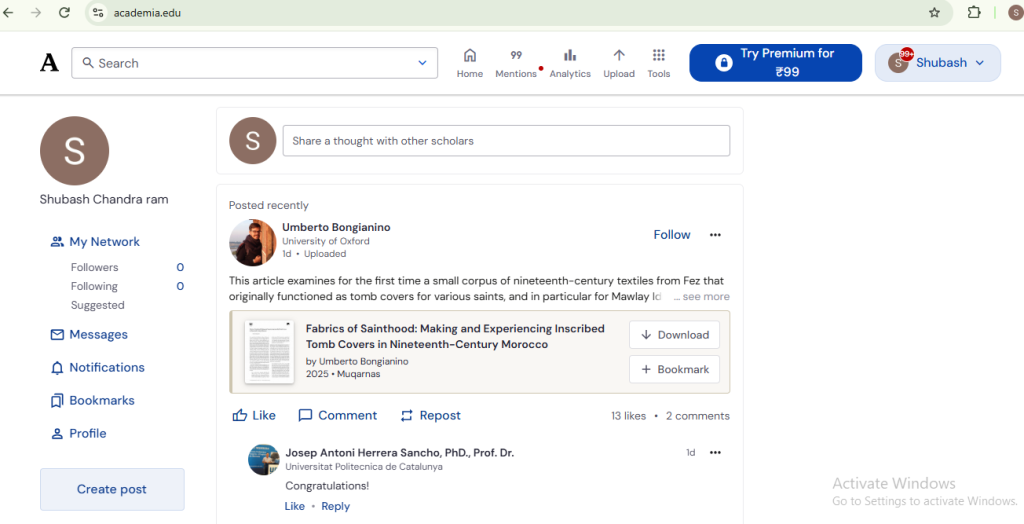
step by step process to create a post
Step – 1 : Go to the home page
click on create post
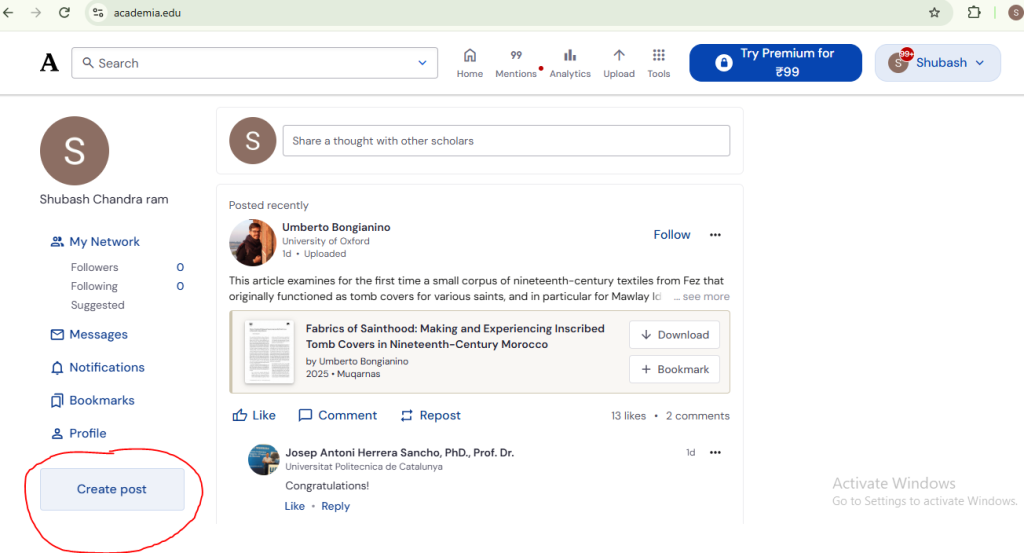
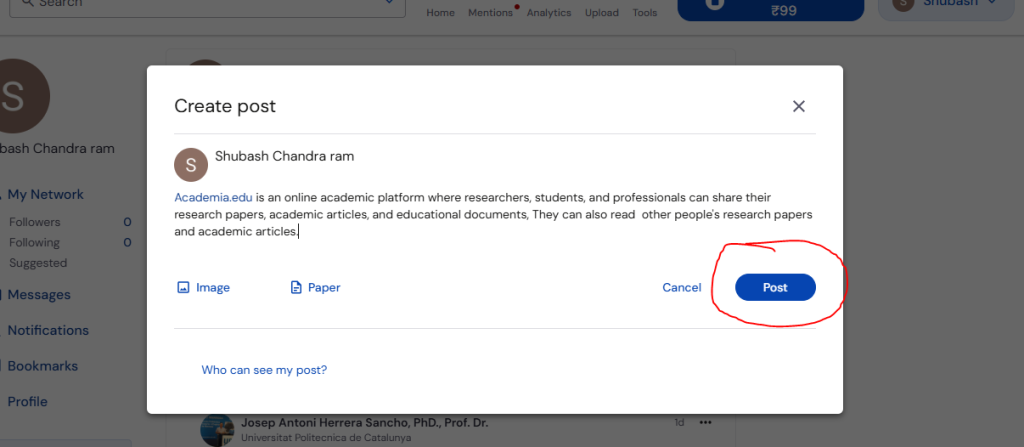
Step – 2 : create a post
- after click on create post share your thoughts with others
- add images
- search paper

Step – 3 : Share a post
after create post share a post
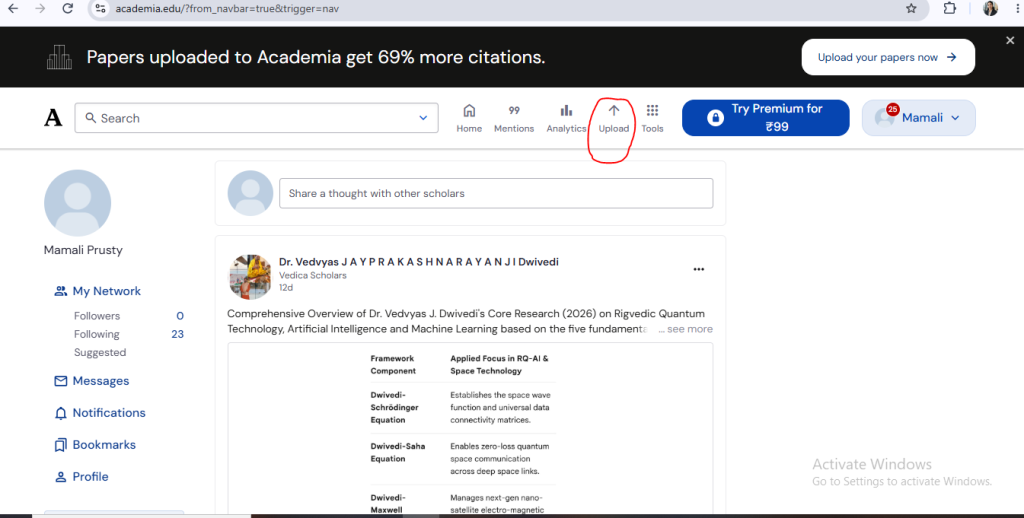
How to upload the document in Academia.edu
Step – 1 : Go to the home page
Go to the home page click on the upload button
Step – 2 : choose the file , then upload the file
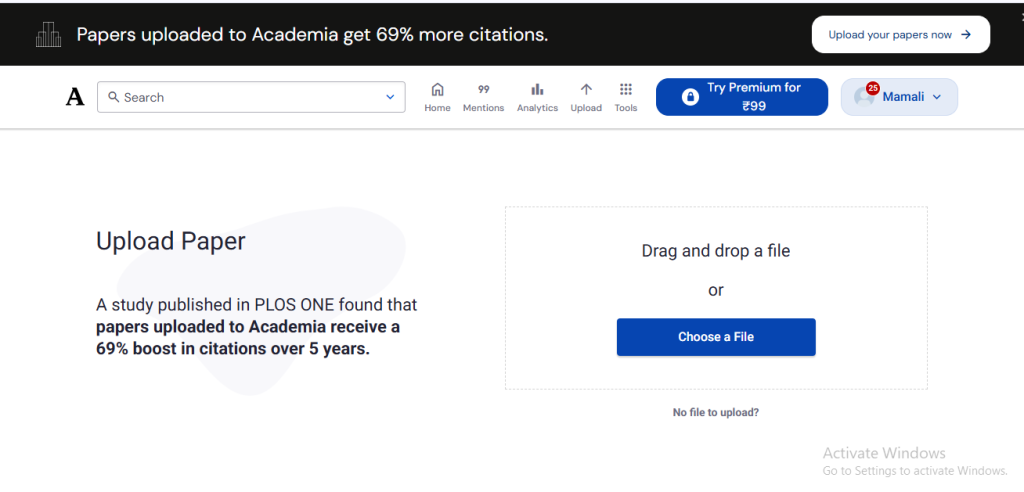
Step – 2 : choose the file , then upload the file
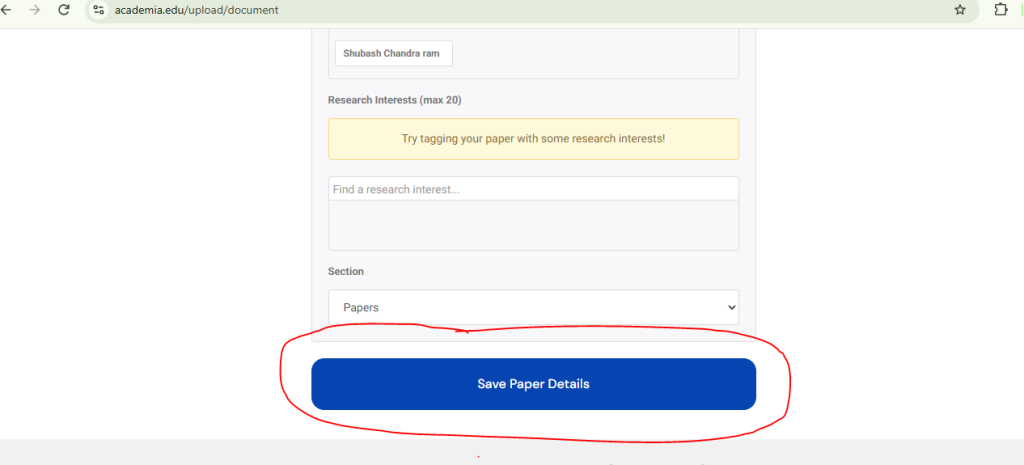
after uploading file fill all paper details
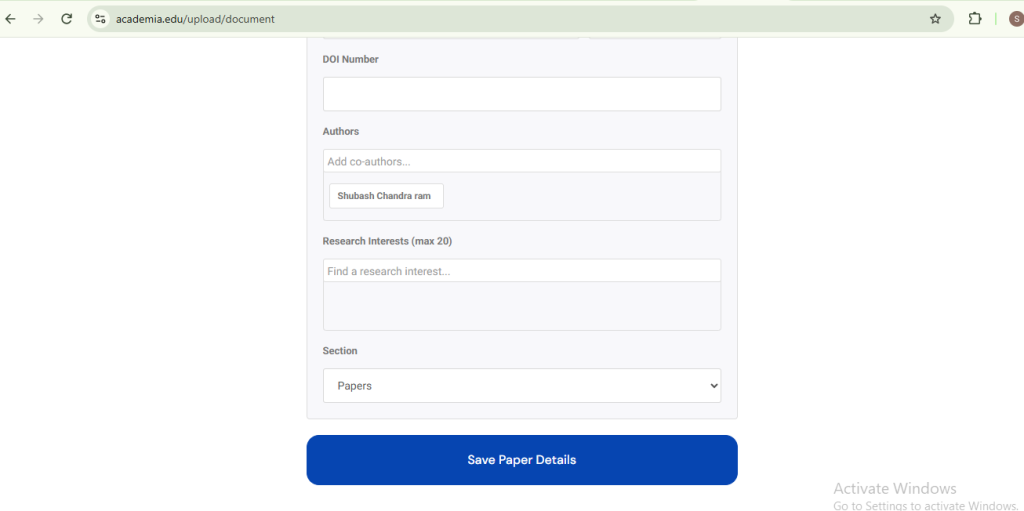
Step – 3 : click on save button
after filling all paper details click on save button