
Introduction: What is Adpost?
Adpost is a global advertising platform where people can publish listings for their products, jobs, services, etc. The primary purpose of this site is to connect sellers and buyers on a single platform. Some premium advertising options are also available for users who want additional visibility.
Step 1: Visit the Adpost Website
- open your bowser.
- visit site: Adpost
- click sign-in /sign-up

Step 2: Create or Log In to Your Account
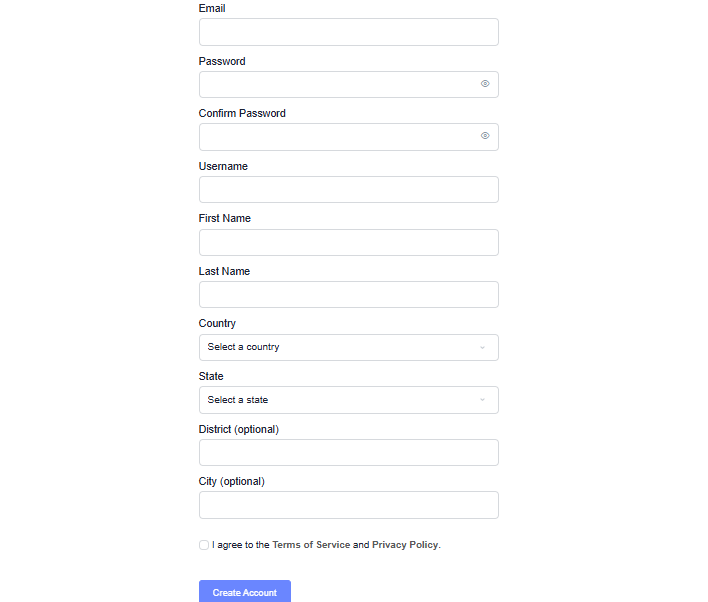
If you’re a new user:
- Click Register.
- Enter your name, email address, and password.
- Verify your email if prompted.
- Log in to your account.
Existing users can simply sign in with their registered credentials.
Step 3: Click “Post Ad”
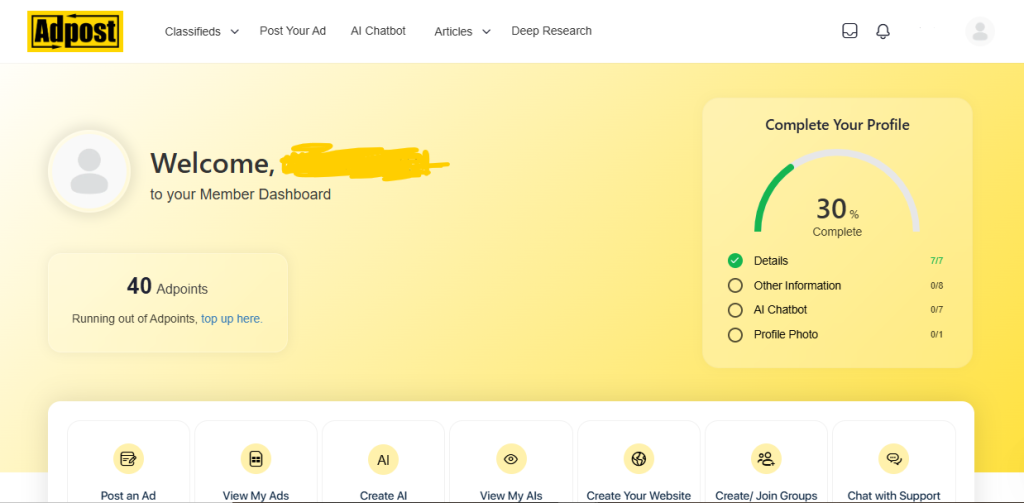
After logging in:
- Click the Post Ad or Post Free Ad button.
- The ad creation page will open.
Step 4: Choose Your Country and Location
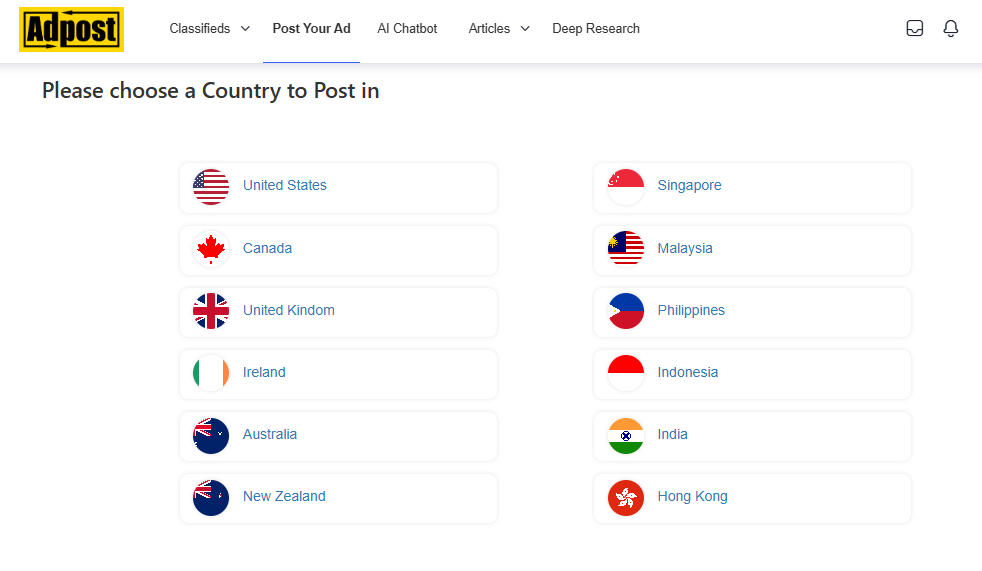
Select:
- Country
- State or Province (if applicable)
- City
This helps users find your listing based on location.
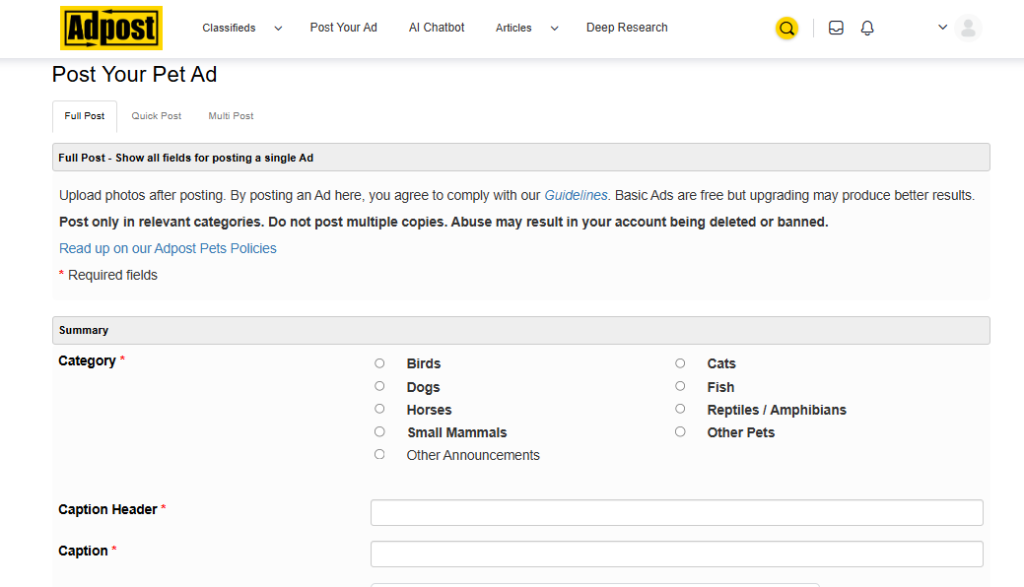
Step 5: Select a Category
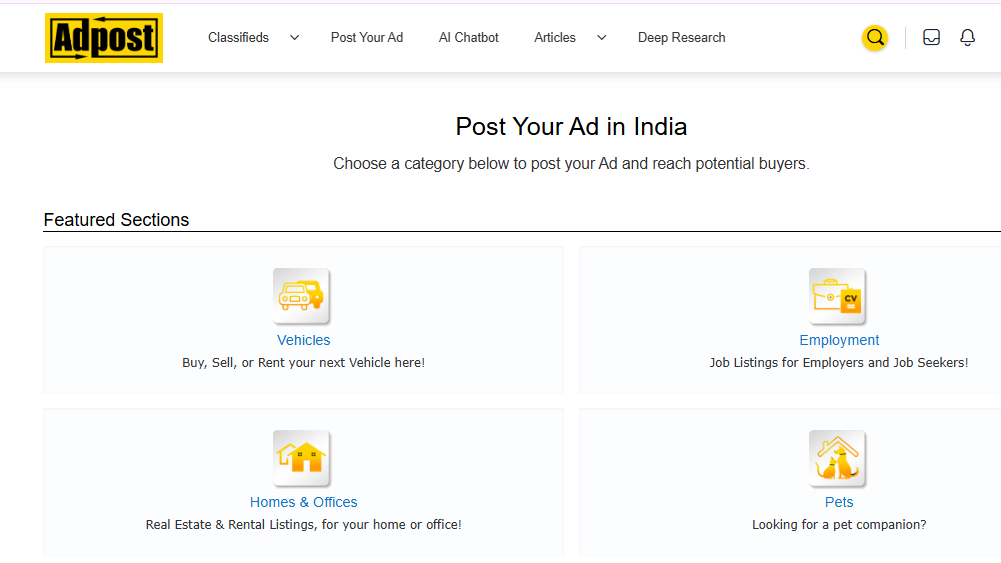
Choose the category that best matches your listing.
Common categories include:
- Business Services
- Jobs
- Real Estate
- Vehicles
- Electronics
- Education
- Pets
- Community
- Buy & Sell
Selecting the correct category helps your ad reach the right audience.
Step 6: Enter Your Ad Details
Complete the ad form with:
- Ad Title
- Description
- Price (if applicable)
- Contact Name
- Email Address
- Phone Number (optional)
- Website URL (if allowed)
Write a clear and informative description to improve your chances of getting responses.
Step 7: Review Your Listing
Before publishing:
- Check spelling and grammar.
- Verify your contact details.
- Confirm the selected category and location.
- Ensure your images display correctly.
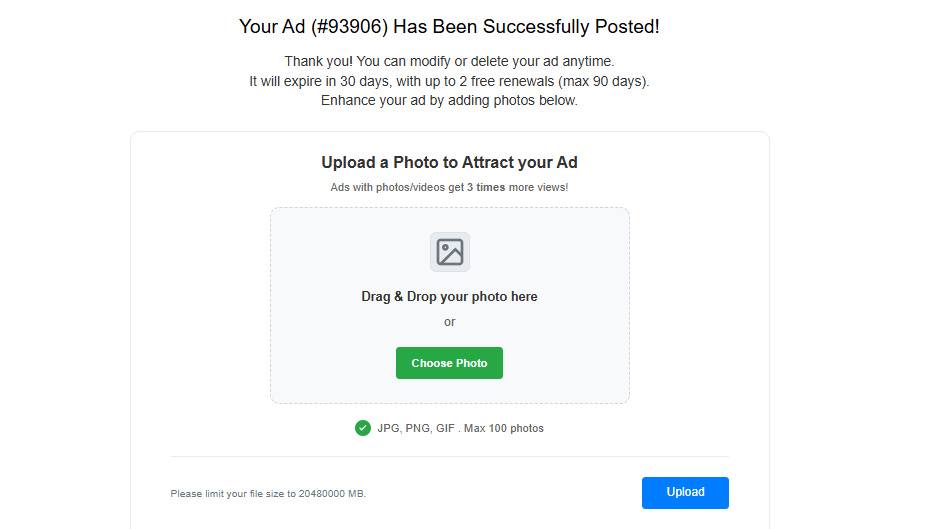
Step 8: Upload Images
- Add one or more clear images of your product or service.
- Good-quality images usually attract more views and inquiries.
Step 9: Publish Your Ad
- Click the Submit, Post Ad, or Publish button.
- Depending on Adpost’s moderation process, your ad may appear immediately or after review.
