Introduction
APSense is an online platform where people can share their content, articles, and business-related information. This website is specifically designed for bloggers, digital marketers, affiliate marketers, freelancers, and business owners. Through it, users can promote their businesses or websites, connect with new people, and boost their online visibility. APSense is an excellent platform for anyone looking to reach a wider audience with their content or strengthen their online presence.
This guide explains how to publish an article on APSense.
Step 1: Log in to Your APSense Account

Visit APSense and log in using your registered account credentials.
Step 2: Open the Article Publishing Page
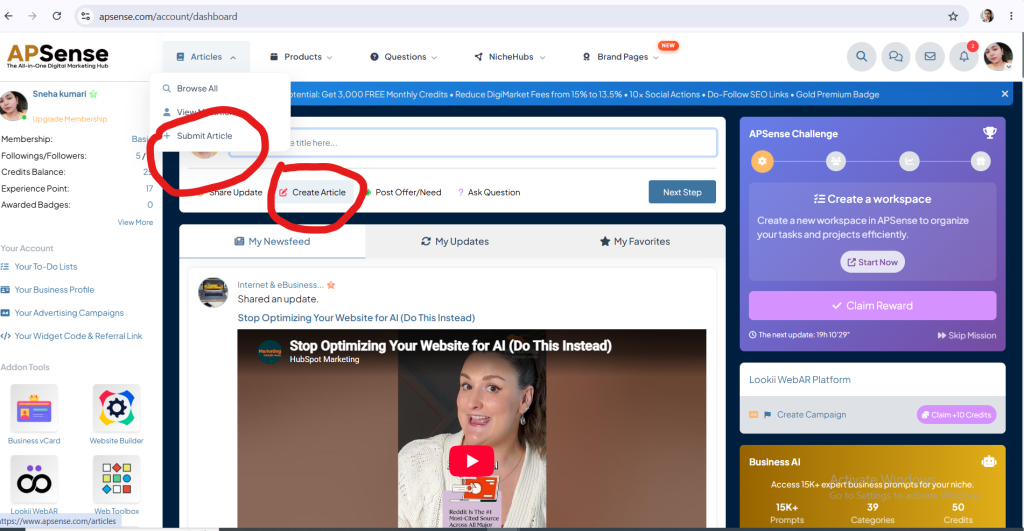
After logging in, Articles section. Then click submit Article or create Articles.
Step 3: Enter Your Article Title
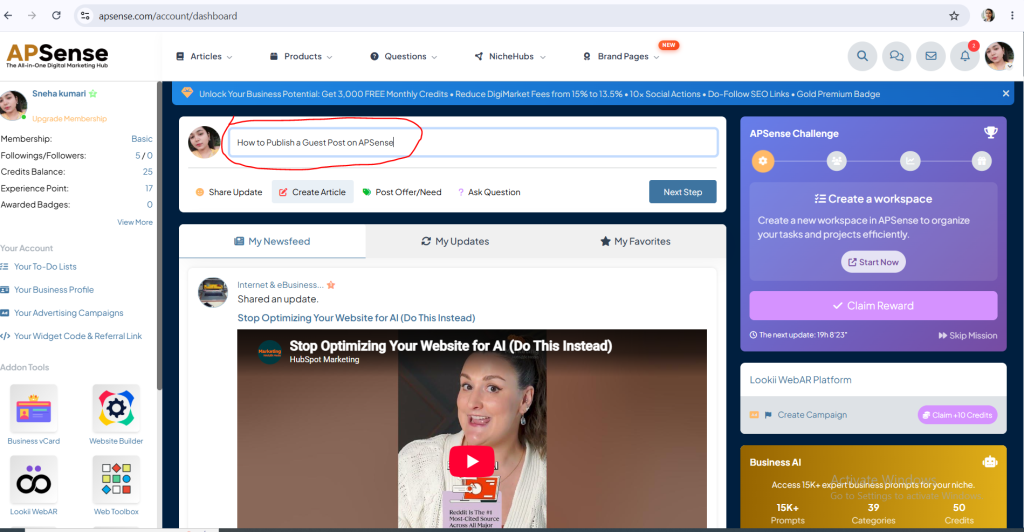
Write title that describes article.
Step 4: Add Your Article Content
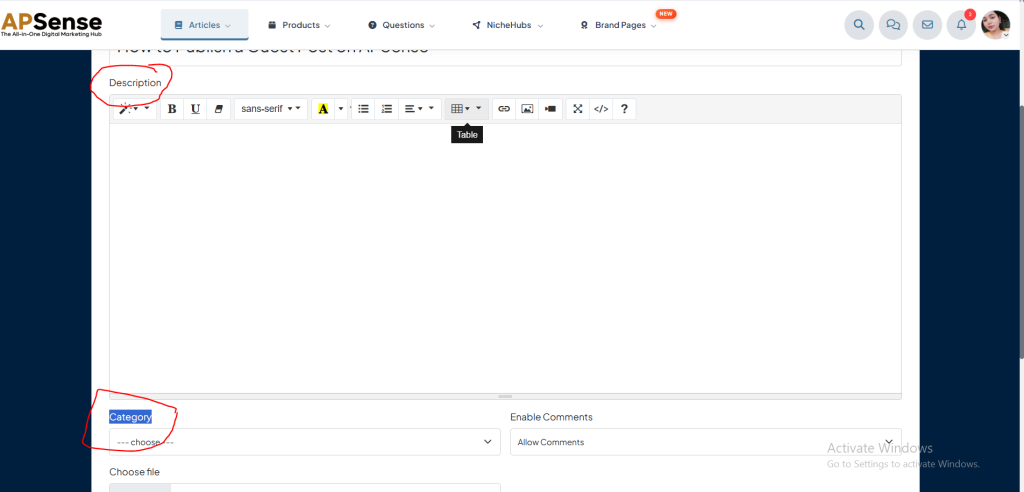
Now write the description and select the category.
Step 5: Insert Images
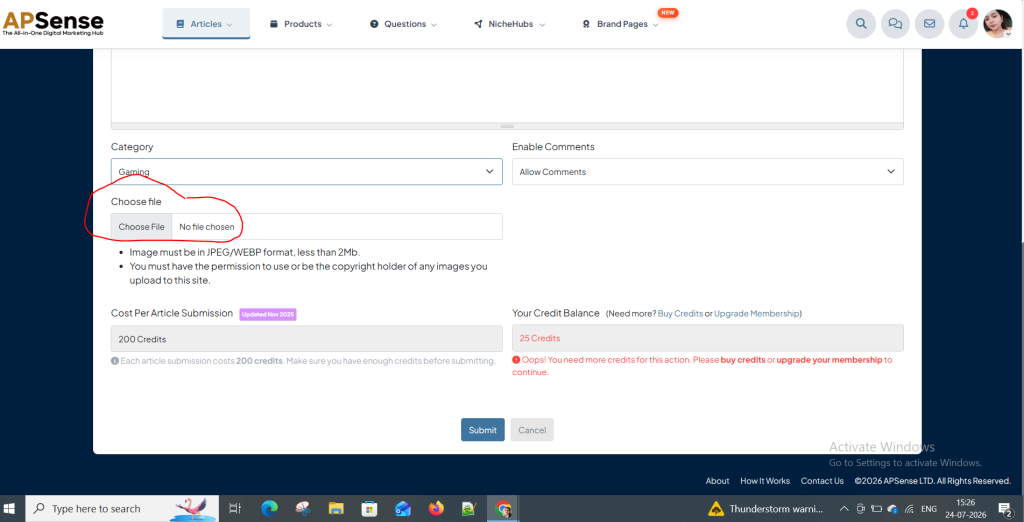
Add relevant images.
Step 6: Submit story
After writing everything, submit it now.
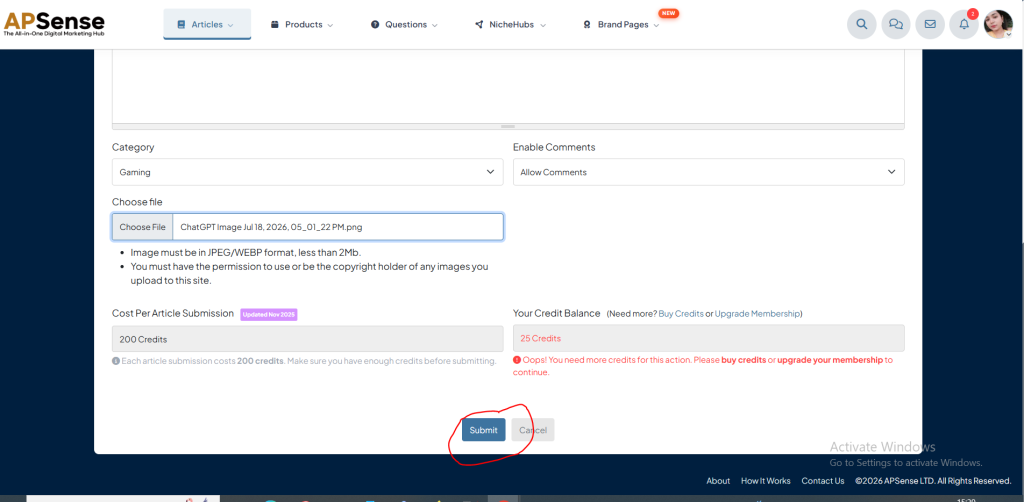
Note: To publish an article on this site, you must have 200 credits for publishing an article. To take credits You have to buy credits or upgrade your membership.
