
Introduction
Bitbucket is an online platform where developers can store, manage, and share their code with their team. It is a Git-based platform that helps teams collaborate on software development projects.
If you are building a:
- Website
- Mobile app
- AI project
- Python project
- Software
you can upload its code to Bitbucket. Team members can work together on the same project, track code changes, and securely store the code.
to store data you have to Create repository .
step by step Guide to Create repository
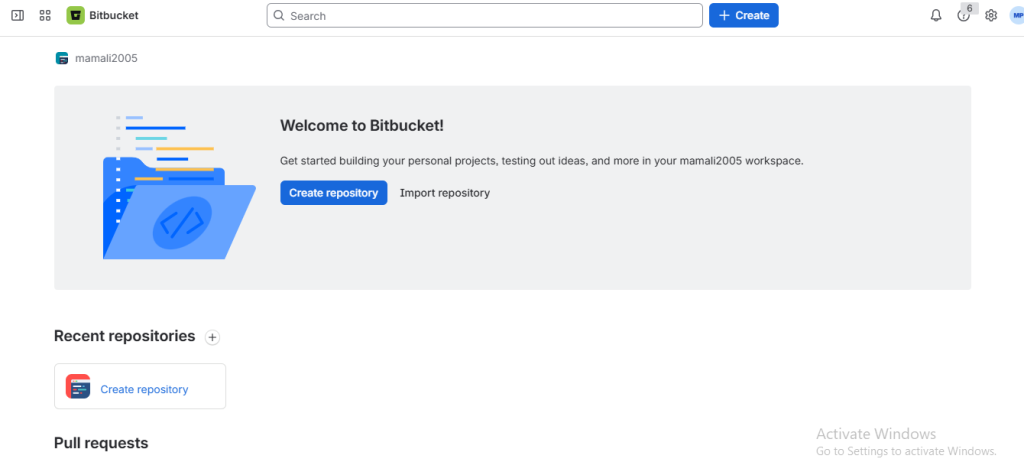
Step 1: Open Bitbucket
Go to Bitbucket and sign in to your account.
Step 2: Open the Create Menu
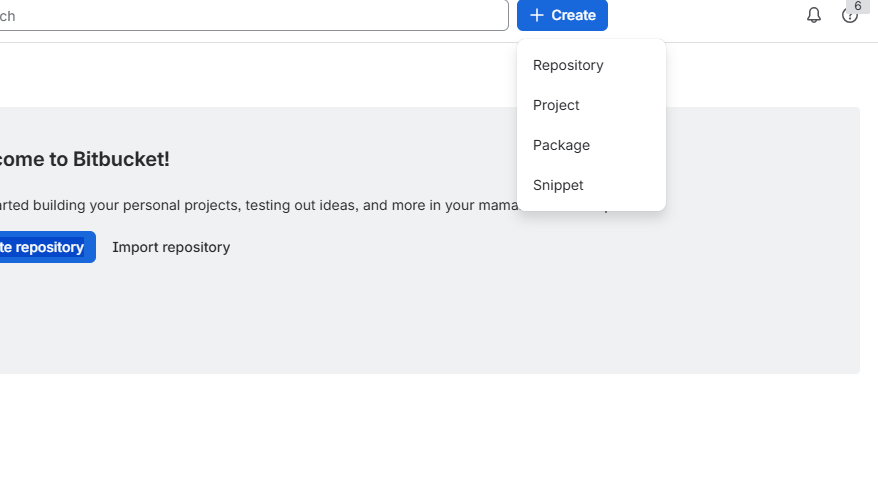
After logging in, click the Create button in the left sidebar and select Repository .
Step 3: Create a new repository
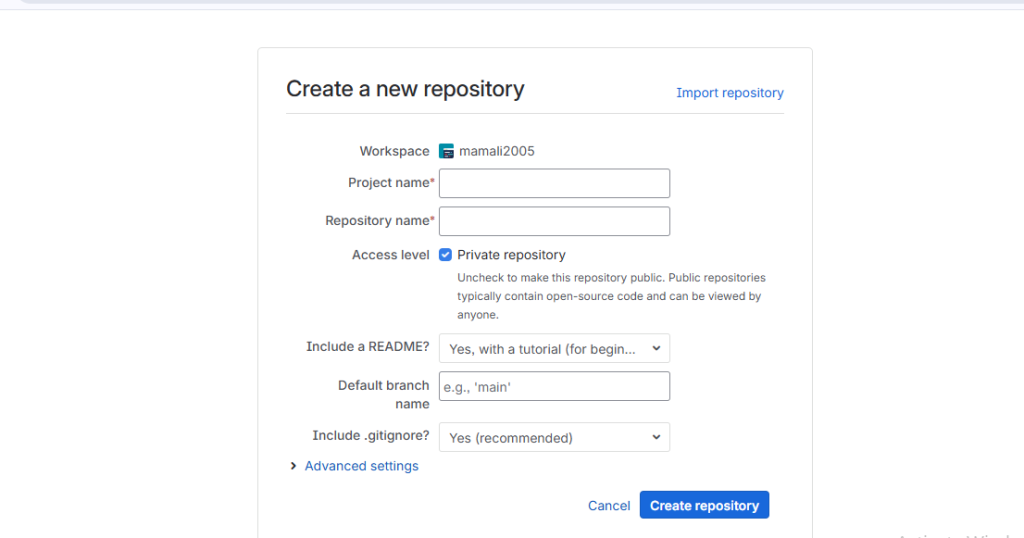
- Choose a Workspace
- Enter Repository Details like Repository Name ,Project , Repository Visibility , Choose Git as the repository type ,create a README
Step 4: Click to Create Repository
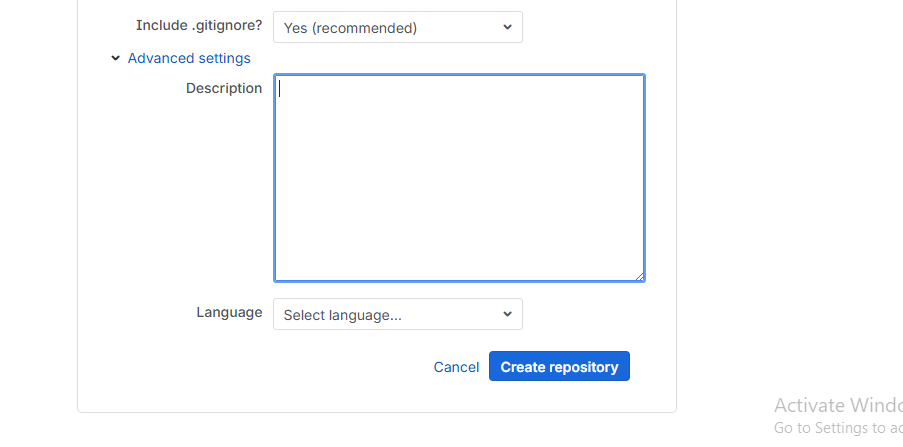
Click the Create Repository button.
After creating a repository, you can upload your project files, store your code safely, share it with your team, track changes, and manage your project from one place.
